Classroom Smart Board for Interactive Teaching
A multi-touch smart board that replaces the whiteboard and projector — write, save, cast and connect. EKINTRY supplies them factory-direct, by the room or the school.
From US$100 — final price depends on your size, pixel pitch and finish. Contact us for an exact quote.
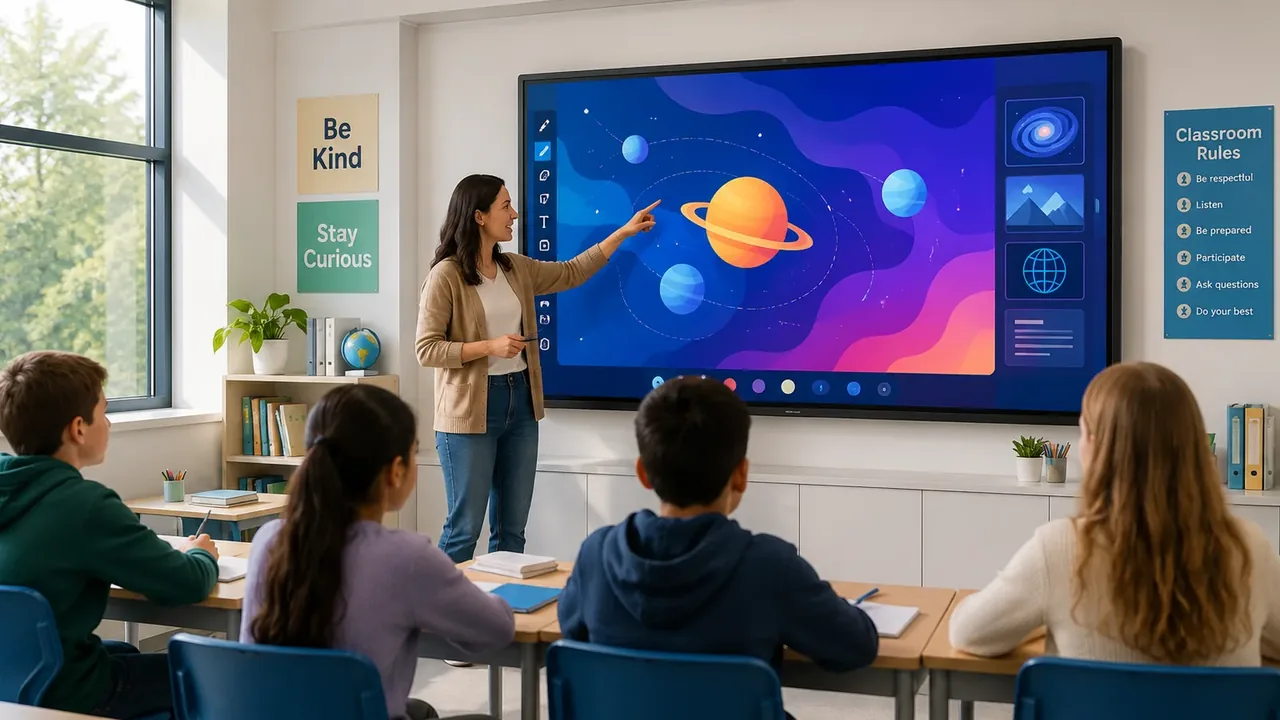
A classroom smart board is a large interactive flat panel that replaces the dry-erase board and projector. Teachers write and annotate directly on screen, save and revisit work across lessons, and students cast their own devices to the board — turning a static lesson into a collaborative one.
This page covers the product — sizes, touch, education software and durability — and how to choose one. For whole-classroom planning see our classrooms application page; to buy, EKINTRY quotes factory-direct, with volume pricing for schools.
Who custom screens are for
- K-12 schools and individual classrooms.
- Universities, colleges and lecture rooms.
- Tutoring centres and training providers.
- Education resellers and integrators.
What a classroom smart board does
More than a screen — a teaching surface:
- Multi-touch — several students write or work at once.
- Infinite canvas — notes are saved, not erased mid-class, and revisited later.
- Device casting — students share from laptops, tablets and phones.
- Built-in tools and an app store for interactive lessons.
Best for — and when it is the wrong choice
Smart boards fit most teaching spaces; a couple of caveats:
- Right for: classrooms, labs and training rooms that need interactive, saveable teaching.
- A very large lecture hall may need an LED video wall so the back rows can read it.
- If a room only ever mirrors a laptop with no interaction, a standard display is cheaper.
Sizes, software and connectivity
A 65–75″ board suits most classrooms; 86″ for larger rooms. Boards run Android with an optional Windows OPS module and work with Google Classroom, Microsoft Teams and Zoom, plus USB-C/HDMI for laptops and document cameras.
Durability and how it is priced
Education panels use toughened, anti-glare glass for daily classroom use and are serviced at module level. Comparable interactive panels run roughly US$2,800–7,000 by size and features; we quote factory-direct, with better pricing on whole-school volume.
Common mistakes to avoid
Where schools go wrong:
- Sizing for the front of the class, not the back row.
- Skipping toughened glass on a board children use every day.
- Buying boards that do not fit the school’s software (Google Classroom/Teams).
- Forgetting mounting height and a mobile stand option for shared rooms.
| Sizes | 55″ · 65″ · 75″ · 86″ |
|---|---|
| Touch | Multi-touch (10-point+) |
| System | Android + optional Windows OPS |
| Works with | Google Classroom, Teams, Zoom |
Send us your project details
To recommend the right screen size, pixel pitch, cabinet type and shipping, please send us:
- Board size(s) and number of classrooms.
- Wall mount or mobile stand.
- Android, Windows OPS, or both.
- Software in use (Google Classroom/Teams).
- Delivery country.
Frequently Asked Questions
What size smart board does a classroom need?
A 65–75″ board works for most classrooms; 86″ for larger rooms. Size to the back row so every student can read the screen.
Does it work with Google Classroom, Teams and Zoom?
Yes — classroom smart boards support Google Classroom, Microsoft Teams and Zoom, with device casting and laptop/document-camera inputs.
Android or Windows?
Built-in Android, with an optional Windows OPS module if you need to run Windows software directly on the board.
Are smart boards durable enough for daily school use?
Yes — education panels use toughened, anti-glare glass and module-level servicing for years of classroom use.
How much does a classroom smart board cost?
Comparable interactive panels run roughly US$2,800–7,000 depending on size and features. We quote factory-direct, with better pricing on whole-school orders.
Can we equip a whole school at once?
Yes — we quote multi-room and whole-school rollouts factory-direct with consistent spec and spares.